
Sidebar
infinix:faq
Table of Contents
FAQ
Visit our Discord for additional support
Downloading/Installing
- Q: I downloaded the modpack but when I create a single player world I dont see any mods!
- A: You must connect to the official server at least once to download the entire modpack, afterwards the modpack will automatically update when you open the game
- Q: I want to reinstall the modpack but I don't want to lose my keybinds/settings!
- A: Open the modpack folder from your launcher and make a copy of your “options.txt” file somewhere safe, this contains your keybinds and settings
- Q: I want to reinstall the modpack but I don't want to lose my journeymap map data!
- A: Open the modpack folder from your launcher and make a copy of your “journeymap” folder somewhere safe, this contains all your mapping data. DO NOT SHARE THIS WITH ANYONE!
Connection Errors
- Q: I get this error when connecting to the server “Failed to verify username!”
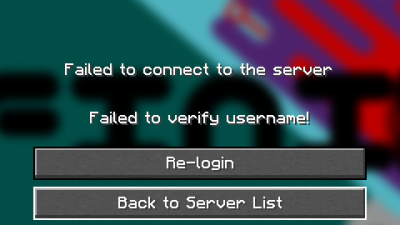
- A: Click on Re-Login to login to your Microsoft account again, then try connecting. Or you can try restarting your game and ensuring your account is logged in the launcher.
This is caused by your login timing out (We cannot control this)
- Q: I get this error when connecting to the server “The request is blocked”
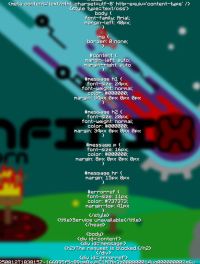
- A: Press Tab, then press Enter. Repeat this until it brings you back to the server select screen.
This is caused by the authentication failing/blocking by Microsoft for some reason (We cannot control this) and unfortunately the error pushes the close button off the bottom of the screen.
- Q: I added a client-side mod/resource pack and now I can not connect to the server!
- A: All client-side mods/resource packs must be approved. Submit an issue on the github or make a post in #support in the discord
This is a PvP server, we cannot allow client mods/resource packs that give an unfair advantage.

Performance
- Q: My view distance is very low even though I have a high render distance!
- A: The server dynamically adjusts some settings including view distance when load is high to help prevent lag
- Q: I get very low FPS when some effects are playing
- A: Turn off Shaders under Video Settings → Extras → Prevent Shaders
infinix/faq.txt · Last modified: by schindlershadow
Except where otherwise noted, content on this wiki is licensed under the following license: GNU Free Documentation License 1.3


