
Sidebar
infinix:faq
This is an old revision of the document!
Table of Contents
FAQ
Visit our Discord for additional support
Downloading/Installing
- Q: I downloaded the modpack but when I create a single player world I dont see any mods!
- A: You must connect to the official server at least once to download the entire modpack, afterwards the modpack will automatically update when you open the game
- Q: I want to reinstall the modpack but I don't want to lose my keybinds/settings!
- A: Open the modpack folder from your launcher and make a copy of your “options.txt” file somewhere safe, this contains your keybinds and settings
- Q: I want to reinstall the modpack but I don't want to lose my journeymap map data!
- A: Open the modpack folder from your launcher and make a copy of your “journeymap” folder somewhere safe, this contains all your mapping data. DO NOT SHARE THIS WITH ANYONE!
Connection Errors
- Q: I get this error when connecting to the server “Failed to verify username!”
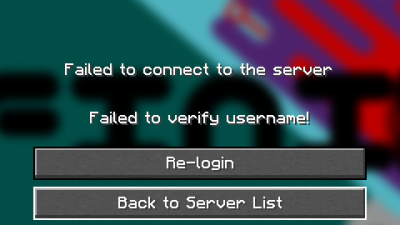
- A: Click on Re-Login to login to your Microsoft account again, then try connecting. Or you can try restarting your game and ensuring your account is logged in the launcher.
- Q: I get this error when connecting to the server “The request is blocked”
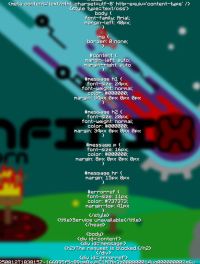
- A: Press Tab, then press Enter. Repeat this until it brings you back to the server select screen.

infinix/faq.1755024979.txt.gz · Last modified: by schindlershadow
Except where otherwise noted, content on this wiki is licensed under the following license: GNU Free Documentation License 1.3


